
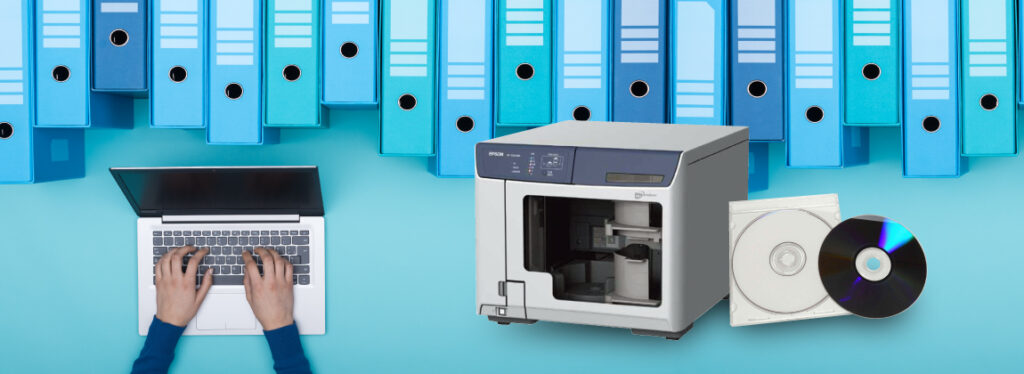
By specifying your own content using keywords or timestamps, you can output it to media for long-term storage.
If you prepare a duplicator, the process can be further streamlined.
Benefits for Customers
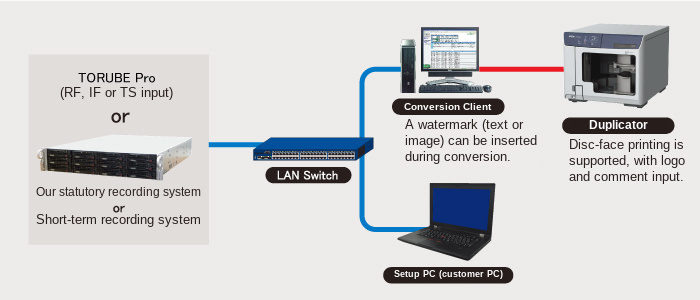
This system works in conjunction with our simultaneous recording system to support DVD creation from your recorded assets.
By implementing this system, you can enjoy the following benefits:
- Reuse TS-based recording assets for internal viewing and other secondary purposes.
- Conversion from TS data, disc burning, and disc surface printing are fully automated. Once you schedule the job, you simply wait—significantly reducing the time required to create archive discs.
- No complex configuration like commercial authoring software is required. Simply select from the program guide to create an archive disc.
- Enables creation of higher-quality, highly compressed H.264 codec video files (.mp4) compared to standard DVD format.
- By using a disc duplicator (EPSON), you can load up to 100 blank discs at once, eliminating the need for manual disc replacement.
Example System Configuration Diagram
According to the scheduled creation settings, the Conversion Client downloads TS data from our simultaneous recording system, converts it into DVD-Video format, and then the Duplicator creates the DVD-Video discs.
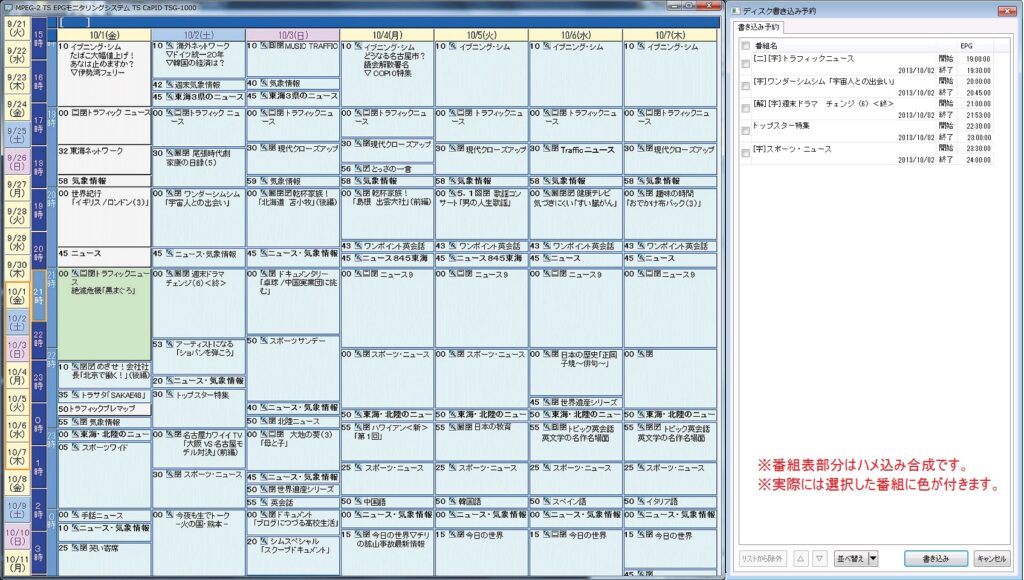
Example Reservation Input Screen
Disc creation reservations are made through a dedicated program guide application.
Although the available recording time varies depending on the selected quality, if the content does not fit on a single disc, it will automatically be adjusted to span multiple discs (e.g., a two-disc set).
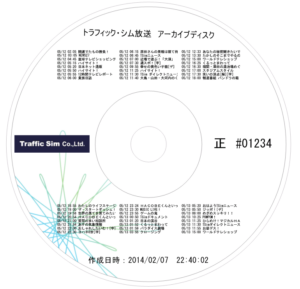
By using a duplicator that supports printing, you can also print recording details and other information directly onto the disc surface.
Features
Operational Benefits
- Created DVD discs can be played on commercial DVD players and PCs.
- Creation reservations can be made through a dedicated program guide application, and you can also check the actual broadcast EPG information.
- Since reservations can be made consecutively, there is no need to wait for the previous DVD to finish before scheduling the next one—allowing efficient use of work time.
- You can specify the number of copies at the time of reservation, such as creating 10 copies of the same DVD.
- In addition to the program title and broadcast time, comments can be printed on the disc surface, making it useful for clearly indicating the DVD’s purpose.
- Once disc creation is complete, you can receive an email notification with a list of the recorded programs.
Advanced Features to Meet Detailed Requirements
- The disc surface print layout can be freely customized, including placement of broadcast station logos.
- Video quality (bitrate) can be selected from three levels—High, Medium, or Low—allowing multiple programs to be stored on a single DVD.
- If the selected programs exceed the recording capacity of a DVD, they are automatically split into multiple discs (e.g., two-disc or three-disc sets). An overlap of a few seconds can be set at the split boundaries.
- Email notifications can be sent when blank discs run low or when ink levels are low.
- If the duplicator is powered off, disc creation will remain on standby and an email notification will be sent, allowing operation where the duplicator is powered on only when needed.
- Video can include image or text watermarks.
- 5.1-channel audio is automatically downmixed to stereo (2ch) and recorded in LPCM format.
- Optimized specifically for creating DVDs from TS data, enabling DVD creation from broadcast TS streams—something often not supported by commercial authoring software (service selection available).
- Conversion from MPEG-2 TS format to DVD-Video format is performed at approximately 3× real-time speed.